

You probably looking to know how to remove uncategorized from the WordPress menu. In this article, I will tell you how you can do that step by step.
First of all, let’s try to understand what is Uncategorized.
What is Uncategorized in WordPress
If you are learning how to create a blog in WordPress, you must know the word “Uncategorized”. Category & tags are two default types of taxonomy in WordPress posts. Category & tags are used to group posts.
Uncategorized is the default category. If you write a post and don’t select a category, the post will publish under the Uncategorized category.
You can create and delete categories as much as you want.
But you can’t delete the Uncategorized category. Moreover, this is not an appropriate category to go your post under it.
Now, what you should do?
How to Remove Uncategorized from WordPress Blog Posts
Watching this quick video tutorial you will learn how to remove uncategorized from WordPress blog posts. This is pretty cool.
Delete Uncategorized Category
There is a rule, you can’t delete the WordPress default category. Uncategorized is WordPress’s default category. This is why there has no way to delete it.
But, WordPress has the option to change the default category, this is how you can delete this Uncategorized category as well.
To do that.
First, create at least one category with that.
Now got to Setting -> Reading from WordPress dashboard.
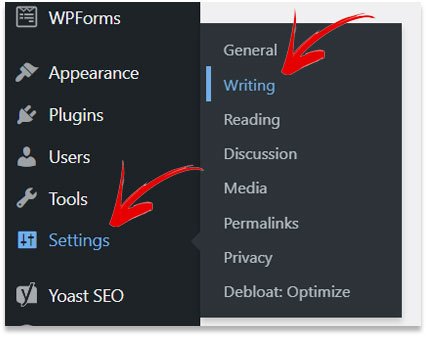
Look at the default category selected Uncategorized.
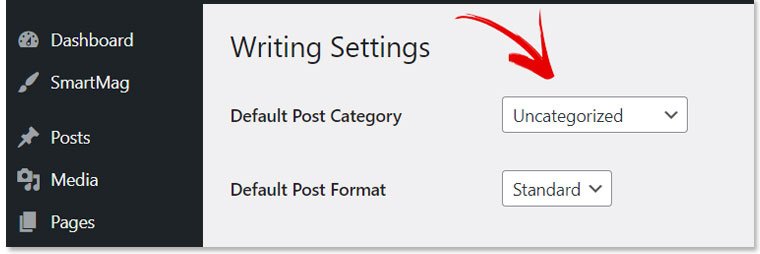
Change that default category to any category you wish then click to ‘Save Changes‘ button below.
Navigate to Posts-> Category.
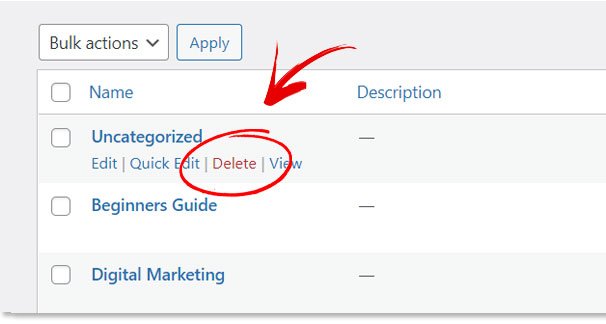
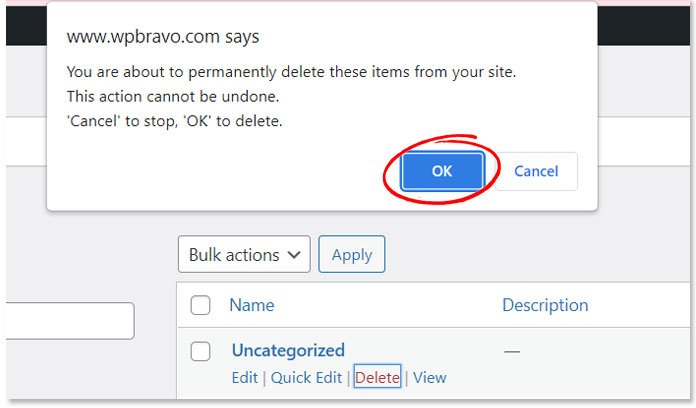
Now you should see the delete button under the Uncategorized category. Click the delete button. A pop-up will come to confirm to delete.
How do I Change Uncategorized in WordPress?
I usually don’t delete the uncategorized category. I rename it according to my need.
How to Remove Uncategorized from WordPress Menu?
If you are struggling to find an effective way to organize your menu, then you are not alone.
Menu organization is one of the most important aspects of any website & it is a very cool task for me. I enjoy organizing the navigation menu. Let’s see how I do that.
Go to Appearance from the WordPress dashboard then click Menus.
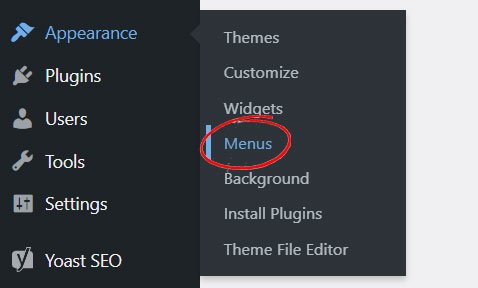
You can create a menu, as well as add a new menu item or delete any item from there.
Watch this video!
In this video, you will learn how to organize the WordPress menu. Like this, you can remove uncategorized from WordPress menu.
Need Help?
Deleting uncategorized categories from WordPress isn’t tough. In this article, I have shared everything you need to know if you are a beginner in WordPress though.
If you have any questions or if you know another easy way, let me know. I will appreciate it.
Moreover, if you need someone expert to help you run your online business, or need a maintenance service, I am the perfect person.
Just say hello & see the result.